
How Google's Performance Max campaigns work in 2026, when to use them, how they sit alongside Search, the controls and reports now available and a step-by-step set-up checklist.
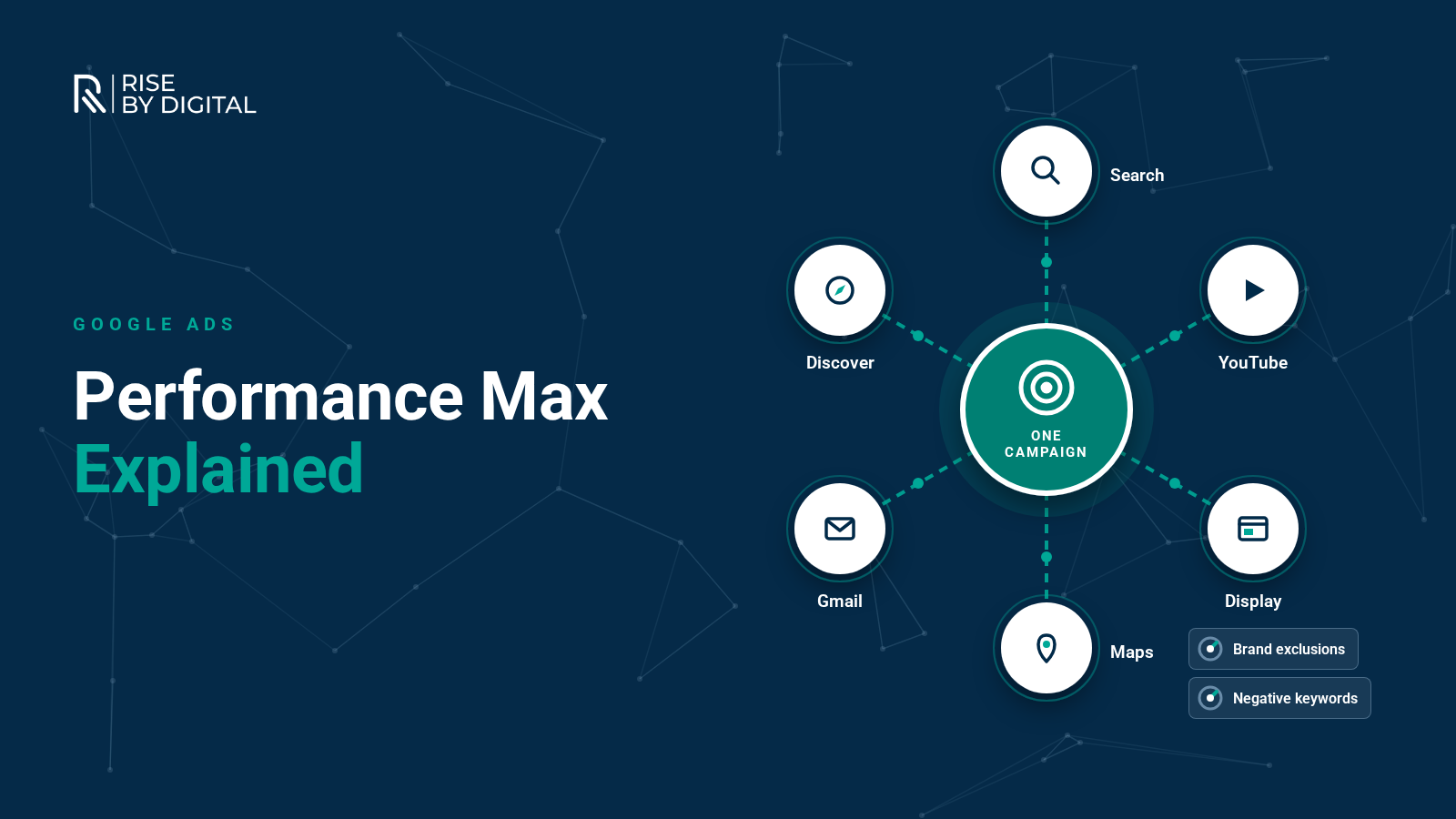
Performance Max (often shortened to PMax) is a Google Ads campaign type that lets one campaign show ads across almost everything Google sells: Search, YouTube, Display, Discover, Gmail and Maps. Instead of building separate campaigns for each channel, you give Google your goals, creative assets and audience hints, and its AI decides where and when to show your ads.
Google made Performance Max available to all advertisers in November 2021, and it has changed a great deal since we first wrote about it in 2022. Advertisers now have far more control and visibility than at launch. This guide explains how it works today, when it is the right choice, how to set it up and how to keep it under control.
How Performance Max works
According to Google's Performance Max overview, a campaign brings together four things you provide with Google's automation:
- Conversion goals and values: the actions you care about, such as purchases or leads, with an optional target CPA or ROAS. Smart Bidding then bids in each auction based on the likelihood of a conversion.
- Creative assets: headlines, descriptions, images, videos and logos, grouped into asset groups. Google mixes and matches them to build ads for each channel.
- Audience signals: hints such as your customer lists, website visitors or the kinds of searches your customers make. These speed up learning; they are suggestions, not strict targeting.
- Budget and brand safety settings: your daily budget plus exclusions for brands, placements and content types.
For online shops, a Merchant Center product feed lets Performance Max show Shopping ads alongside everything else. Google also moved Smart Shopping and Local campaigns into Performance Max in 2022.
When Performance Max is a good fit
Google recommends it when you have specific conversion goals, want to reach customers across all its channels from one campaign, and want to find conversions beyond what keyword-based Search campaigns can reach. In our experience it works best when:
- Conversion tracking is reliable. PMax optimises towards whatever you tell it is a conversion, so bad data leads to bad decisions.
- You have enough budget and conversion volume for the system to learn. Very small budgets spread across every channel can struggle.
- You have good creative. Strong images and at least one proper video help, otherwise Google may generate assets for you.
- You sell products with a feed, where PMax is now the main way to run Shopping ads.
When to be careful
- Lead generation without lead-quality data. If PMax only knows that a form was filled in, it may find cheap but poor-quality leads. Import offline conversions from your CRM so it learns which leads become customers.
- Brand-heavy accounts. Without brand exclusions, PMax can take credit for people who were already searching for your name.
- When you need tight control over exactly where ads appear. Standard Search, Shopping, Video or Demand Gen campaigns give you more control.
- Very limited budgets, where a focused Search campaign usually makes better use of each pound.
How PMax works alongside Search campaigns
Performance Max is designed to complement keyword-based Search, not replace it. Google's rules are:
- When a search exactly matches an exact match keyword in one of your Search campaigns, the Search campaign is prioritised over PMax.
- Search themes in PMax carry the same priority as phrase and broad match keywords.
- If your Search campaign is limited by budget, PMax may occasionally serve on exact match terms.
In practice, many advertisers keep Search campaigns for their most important, high-intent keywords and use PMax to find additional demand. Google's newer AI Max for Search campaigns brings some of the same automation into Search itself, so it is worth understanding both.
The controls you now have
At launch, Performance Max was criticised as a black box. Today the main campaign-level controls include:
- Negative keywords: block searches you never want to appear for.
- Brand exclusions: stop ads showing on searches for your own brand or for named competitors.
- Search themes: tell Google about the searches that matter to your business, especially useful for new campaigns.
- Final URL expansion: choose whether Google can send people to other pages on your site that it thinks match the search better. Turn it off, or exclude URLs, if certain pages should never receive paid traffic.
- Text customisation and auto-generated videos: campaign-level settings that let Google create extra assets from your site and existing ads. Review what it creates, because you remain responsible for accuracy.
- Placement exclusions and content suitability settings for brand safety.
Reporting and insights
You can now see much more about what PMax is doing, including:
- Channel performance reporting, announced by Google in 2025, showing how results split across Search, YouTube, Display and other inventory.
- Asset and asset group reporting, to see which creative performs best.
- Search terms reporting, showing the searches that triggered your ads, which Google rolled out to Performance Max alongside other visibility improvements.
- Placement reports and integration with Google Analytics.
Use these regularly. They are how you spot wasted spend, weak assets or a campaign leaning too heavily on one channel.
How to set up a Performance Max campaign
- Check your conversion tracking and decide which actions are primary goals.
- Choose the objective: Sales, Leads, Website traffic or Local shop visits and promotions.
- Set your bidding: maximise conversions or conversion value, with a target CPA or ROAS once you have data.
- Set campaign controls: brand exclusions, negative keywords, final URL expansion and locations.
- Build asset groups around themes, such as a product category or a service, with tailored headlines, images and video for each.
- Add audience signals: your customer lists, website visitors and custom segments based on relevant searches.
- Add search themes to guide the campaign towards the searches you care about.
- Set a realistic budget and let the campaign learn for a few weeks before judging it.
Performance Max checklist
- Primary conversions are real business outcomes, not micro-actions.
- Offline conversions imported for lead generation.
- Brand exclusions set if you run a separate brand campaign.
- Negative keywords added for irrelevant searches.
- Final URL expansion reviewed, with exclusions where needed.
- Asset groups organised by theme, each with strong images and at least one video.
- Audience signals and search themes added.
- Channel, asset and search term reports reviewed every month.
Performance Max FAQs
Is Performance Max right for you?
Performance Max can be a powerful way to reach more customers across Google, particularly for ecommerce and for lead generation businesses with good conversion data. It is not a set-and-forget campaign, and it works best alongside well-structured Search campaigns and a website that converts.
If you are considering PMax, or already running it and unsure whether it is working, our team can review your set-up and recommend the right mix of campaign types for your goals. Find out more about our Google Ads management or see our guide to lowering your CPA.